Wan 3.0 vs Seedance 2.5: Which AI Video Workflow Fits Your Brief?
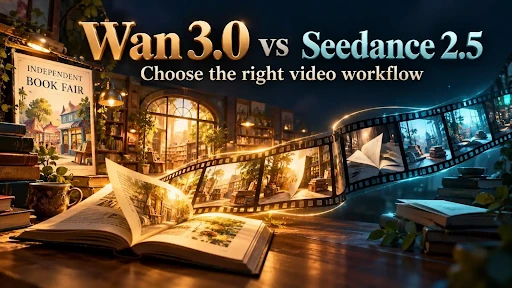
An independent bookshop wants a short video for its weekend book fair. It has a poster illustration, a photograph of the shop and an idea for the sound of pages turning. The editor wants a clip that feels inviting, but the event date and address must remain accurate. This is a useful way to compare two AI video tools: not by asking which is “better” in the abstract, but by looking at what the brief already contains.
Both Wan 3.0 and Seedance 2.5 are available in JXP’s browser workspace. Both can begin with written direction or visual material, support audio-related creation, and list clips up to 30 seconds. Those shared points make a feature checklist a poor way to choose between them. The more revealing questions concern references, revision and how much of the result will still be assembled by a human editor.
Wan 3.0 presents Text to Video, Image to Video and Reference routes. For this bookshop, a simple first pass could use the approved poster as a visual start, with a prompt asking for a slow move into the illustrated shop and the sound of a page turning. That is an idea to test, not a claim that a generated clip will preserve every letter or reproduce the real premises exactly.
First, notice what the two workflows share
Neither service requires a finished film before work can begin. A written scene can establish the mood, action and camera direction; an image can provide a more specific opening look. Both workflows also accommodate sound as part of the video-making process. For a book-fair teaser, that means the team can think about the rustle of paper while planning the movement, rather than treating sound as an unrelated decorative layer.
The common 30-second ceiling is not a reason to make every clip half a minute long. A ten- or fifteen-second invitation may be enough to show an opening illustration, a glimpse of shelves and one closing image. The event details still need clear, verified type, which may be easier to place in an editor after the generated footage is chosen.
Both tools may produce appealing pictures. This comparison does not include an independent, same-prompt test proving that one consistently handles faces, lettering, motion or sound better. A marketing example should not become a performance verdict.
Wan 3.0: start with a compact scene
Wan’s current workspace makes three starting choices visible. With Text to Video, the bookshop can try an invented, unbranded scene before it commits to a particular poster. Image to Video is more relevant once the approved artwork has been selected. Reference mode is for a brief that draws on more than one piece of source material.
Wan 3.0 combines sound with the generated video, and its prompt guidance calls for concrete audio cues. In this example, a page-turn sound is useful because it belongs to the visible action. A long voiceover, music swell and several competing effects would make it harder to judge whether the scene works. JXP’s Reference route also lists a document upload and an optional webpage URL alongside image, video and audio inputs. Those controls may help gather source material, but they do not relieve the editor of checking the final event details.
A practical first prompt might be: Begin on an illustrated book-fair poster without readable lettering. Move gently into a warm, fictional bookshop interior. One book opens on a table; a soft page turn is heard. End on a clear, still composition with space for event information to be added later. It gives the tool one visual action and one sound cue. It does not ask the model to invent the shop’s true layout or print an exact date.
Seedance 2.5: useful when the brief is a larger collection
Seedance 2.5’s JXP workspace accepts a larger reference set: its current page lists up to 50 files across images, video and audio, with limits for each type. That matters when the bookshop campaign has several approved illustrations, venue views and motion or sound references that genuinely need to influence the draft. Uploading everything is not automatically better; unrelated examples can pull the idea in different directions.
Seedance 2.5 is also presented with a route to local changes after generation. That is worth examining if feedback tends to arrive late and the team expects to revise a detail. It should not be read as a promise that every incorrect sign or changed object can be repaired in place. Check which editing controls are available in the active workflow, then judge a trial result against the actual requested change.
For a small brief consisting of one poster and a single ambience cue, the larger reference allowance may add little. For a campaign with a defined visual identity and many cleared assets, it may be the more relevant point of comparison. The number on an upload limit tells you what a workspace accepts, not how faithfully the final video will use each reference.
Run a trial that answers the real question
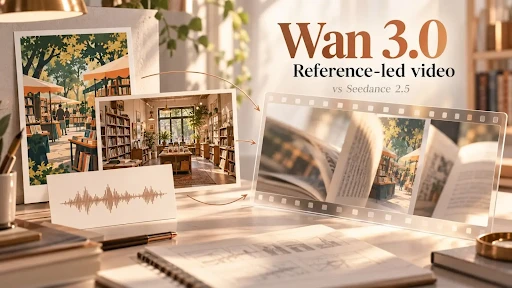
Wan 3.0 reference mode is a sensible route to examine when the poster, shop photograph and short sound cue are ready. To compare it fairly with Seedance 2.5, give each tool the same approved material where its controls allow, the same intended scene, a similar duration and the same publishing format. Write down any input that could not be matched instead of pretending the two workflows are identical.
Then watch for four concrete things. Does the poster’s general visual idea survive without invented book titles? Does the shop remain recognisably the same type of place, without claiming to show its exact interior? Is the page-turn sound timed to a visible action? Is there enough quiet space at the end for an editor to add the real date and address? These checks are more useful than choosing the brighter thumbnail.
Keep the test small. One scene in each tool reveals more than an elaborate prompt that asks for a crowd, five camera moves, spoken dialogue and a perfectly printed poster. If either result changes the event’s visual identity or introduces misleading details, revise the input or use ordinary footage and design instead.
Choose by workload, not by a winner label
Wan 3.0 makes sense to try when the story is compact and the creator wants to judge picture and sound together from a prompt, image or small set of references. Seedance 2.5 is worth a closer look when the brief genuinely needs more source assets or later visual refinement. Both are starting points for a draft; neither replaces checking rights, verifying real-world information or making final editorial decisions.
For the book-fair video, the best result is not whichever generator produces the most ornate shelves. It is the clip that supports the invitation while leaving the factual event information under the bookshop’s control. One clear brief, one short test in each workflow and an honest review of what came back will make the choice easier.
For More Information Visit: Rare Magazine