Video Editor AI: A 5-Step Workflow to Turn Long Videos into Short-Form Content
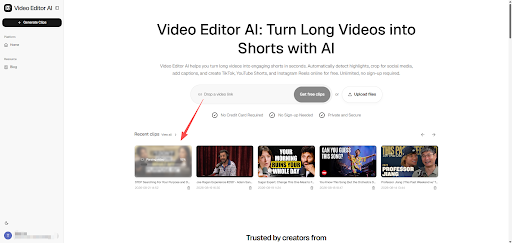
Turning long-form video into short-form content sounds simple until you actually try to build a repeatable process around it. Most creators and teams either do it inconsistently, burning hours on a handful of videos, or skip it entirely because it feels like too much overhead. Video Editor AI is built to make this a workflow you can actually sustain, not a one-off project you attempt once and abandon.
Why Most Repurposing Efforts Fail
The typical failure pattern looks the same across creators and teams: someone gets motivated, manually clips two or three shorts from a recent video, posts them, and then the process quietly stops the next time things get busy. The workflow wasn’t sustainable because it depended entirely on manual effort that doesn’t scale with a growing content library.
The Missing Piece Is Repeatability
A workflow only survives if each step is fast and consistent enough to repeat every single time new footage comes in, not just when there’s extra time available.
The Five-Step Workflow
Step One: Standardize Your Upload Process
Every piece of long-form content — podcast episode, webinar, YouTube video, recorded livestream — should go through the same intake step immediately after it’s finished, rather than sitting in a folder waiting for someone to “get to it.”
Step Two: Let the AI Do the First Pass
Instead of watching the full recording to find good moments, let Video Editor AI flag a ranked shortlist of candidates first. This turns a slow, open-ended review task into a fast decision task: keep, skip, or adjust.
Step Three: Select and Refine
Review the shortlist and pick the clips worth publishing. Trim start and end points slightly if needed, but resist the urge to over-edit — most flagged segments already respect natural sentence and thought boundaries.
Step Four: Reformat and Caption Automatically
Reframing to vertical aspect ratio and generating burned-in captions happens as part of the same process, rather than as a separate editing pass in different software.
Step Five: Schedule for Distribution
Spread the resulting clips across your posting calendar instead of publishing them all immediately. A single long recording can realistically supply a week or more of short-form content.
Building This into a Team Process
Assign Clear Ownership
Repurposing tends to fall through the cracks when it’s “everyone’s job,” which usually means it’s no one’s job. Assigning it to a specific person or rotating it as a defined task keeps it from being skipped.
Set a Minimum Clip Quota per Recording
Committing to a minimum number of clips per long-form piece — say, three to five — keeps output consistent even during busy weeks when it’s tempting to skip repurposing entirely.
Review Performance Monthly
Look back at which clips performed best and worst each month. Patterns usually emerge quickly around topic, length, and hook style that can inform what to prioritize going forward.
Common Workflow Breakdowns to Avoid
Treating Every Recording as a Special Case
Trying to custom-design the repurposing approach for each new video adds unnecessary friction. A standard process applied consistently outperforms an inconsistent “best effort” approach.
Waiting for the “Right Time” to Start Clipping
Recordings that sit unprocessed rarely get revisited once new content starts piling up behind them. Clipping soon after recording, while the content is still fresh, tends to produce better results and actually get finished.
Over-Polishing Instead of Publishing
Perfecting a single clip endlessly is a common way to stall the whole workflow. A slightly rougher clip that actually gets published beats a perfect one still sitting in a project file.
Measuring Whether the Workflow Is Working
Track two numbers over time: how many clips you’re publishing per long-form video, and how consistently that number holds steady week to week. A workflow that’s actually working shows up as consistency, not just occasional bursts of output.
Conclusion
Video Editor AI (https://video-editor.ai/) handles the highlight detection, reframing, and captioning steps automatically, removing the manual bottlenecks that make repurposing feel exhausting after the first few attempts — so what’s left is a fast, repeatable process a single person or small team can maintain indefinitely. If your repurposing efforts have stalled before, a lighter workflow might be the difference.
Build your workflow with Video Editor AI: https://video-editor.ai/